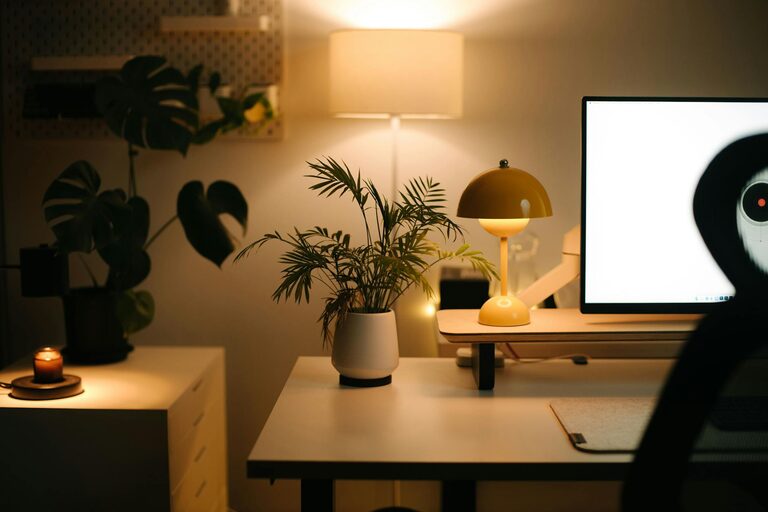
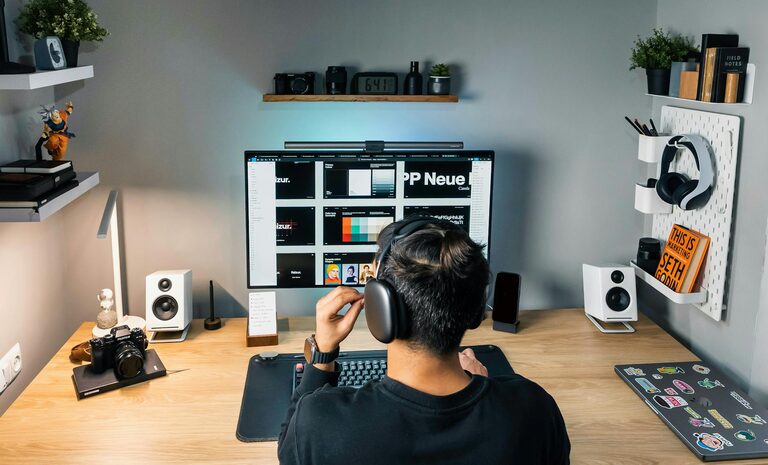
Creating a productive home workspace is essential for anyone working remotely or studying from home. A well-designed space not only helps you focus but also keeps you comfortable, reducing stress and fatigue. Whether you have a dedicated room or just a small corner, following some thoughtful strategies can make a big difference in your daily effectiveness and well-being.
Why a Productive Workspace Matters
When your workspace is cluttered, uncomfortable, or distracting, it’s easy to lose focus and motivation. On the other hand, a carefully arranged environment supports your workflow, encourages better posture, and helps you separate work time from personal time. This balance improves both your productivity and your overall mood.
Choosing the Right Location
Consider Natural Light
Position your workspace near a window if possible. Natural light can boost your mood and energy, helping you stay alert throughout the day. However, avoid direct sunlight on your screen to prevent glare.
Minimize Noise and Distractions
Choose a quiet spot where you can work uninterrupted. If silence is hard to find, consider using noise-cancelling headphones or a white noise machine to block background sounds.
Furniture and Equipment Essentials
Ergonomic Chair and Desk
Invest in a chair that supports your lower back and promotes good posture. Your desk should be at a height that allows your elbows to rest comfortably at about a 90-degree angle when typing.
Monitor and Keyboard Setup
Place your monitor at eye level about an arm’s length away, to reduce neck strain. Use an external keyboard and mouse if you’re working on a laptop, allowing for a more ergonomic hand position.
Keep Tools Close
Organize your most-used items—pens, notebooks, chargers—within easy reach to reduce interruptions and maintain workflow.
Organizing Your Workspace
Declutter Regularly
Keep your desk surface clean and only keep essentials out. Clutter can be overwhelming and distracting.
Use Storage Solutions
Drawer organizers, shelves, and storage boxes can help keep supplies neatly arranged and accessible.
Cable Management
Tidy cables with clips or sleeves to avoid tangling and accidents. A clean look also makes the space feel more welcoming.
Enhancing Comfort and Focus
Personalize Thoughtfully
Add a few personal touches like plants, photos, or art, but avoid overcrowding. Plants can improve air quality and uplift your mood.
Control Room Temperature and Ventilation
Make sure your workspace is at a comfortable temperature, and keep the air fresh by opening windows or using air purifiers when possible.
Take Breaks and Move
Set a timer to remind yourself to stand, stretch, or take short walks every hour. Movement helps prevent stiffness and maintains energy.
Lighting Tips
Layered Lighting
Combine ambient light with task lighting such as a desk lamp. Good lighting reduces eye strain and keeps you alert.
Adjust Screen Brightness
Match your screen brightness to the ambient light to ease eye fatigue during long work sessions.
Technology and Connectivity
Reliable Internet
A steady internet connection is critical for uninterrupted work, especially for video calls or online collaboration.
Backup Power Options
Consider having a backup battery or surge protector to avoid disruptions during power outages.
Establishing a Routine
Consistency in your work habits helps your brain associate your workspace with productivity. Try to start and end work at the same times daily and keep your space tidy at the end of each day.
—
By applying these tips, you can create a home workspace that not only boosts your focus and productivity but also ensures comfort and well-being. Small improvements in your environment can have significant positive effects on how you feel and perform each day.